Seamless oVirt to Sangfor Migration
In complex virtualized environments, migration shouldn’t be a headache. With Vinchin Backup & Recovery, you can easily migrate virtual machines from oVirt (versions 4.0.x to 4.5.x) to Sangfor HCI (versions 5.x and 6.x) in just a few simple steps — breaking platform boundaries with ease.
But Vinchin goes far beyond migration. With its robust backup and recovery capabilities combined with seamless cross-platform migration, you can ensure data integrity and business continuity throughout the entire process.
Whether you’re restructuring your virtual infrastructure or building a stronger disaster recovery strategy, Vinchin delivers a stable, efficient, and trusted solution that simplifies your IT operations.
How to Restore oVirt VMs to Sangfor HCI with Vinchin
⚠️ Make sure you’ve backed up your oVirt virtual machine before starting the restore.
Step 1: Log in to the Web Console
Open your browser and log into the Vinchin Backup Server web console. Go to VM Backup > Restore.
Step 2: Select Restore Point
Browse the list of available restore points and select the desired oVirt VM backup. Click Next to proceed.
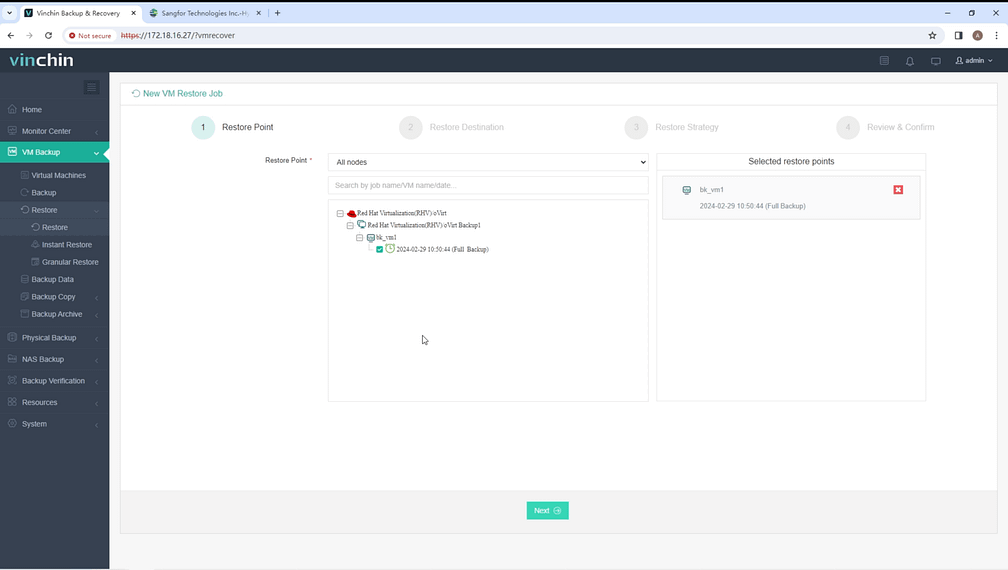
Step 3: Choose Restore Destination
Select your target Sangfor host and configure VM parameters, including name, CPU, memory, virtual disks, and network settings. Once done, click Next.
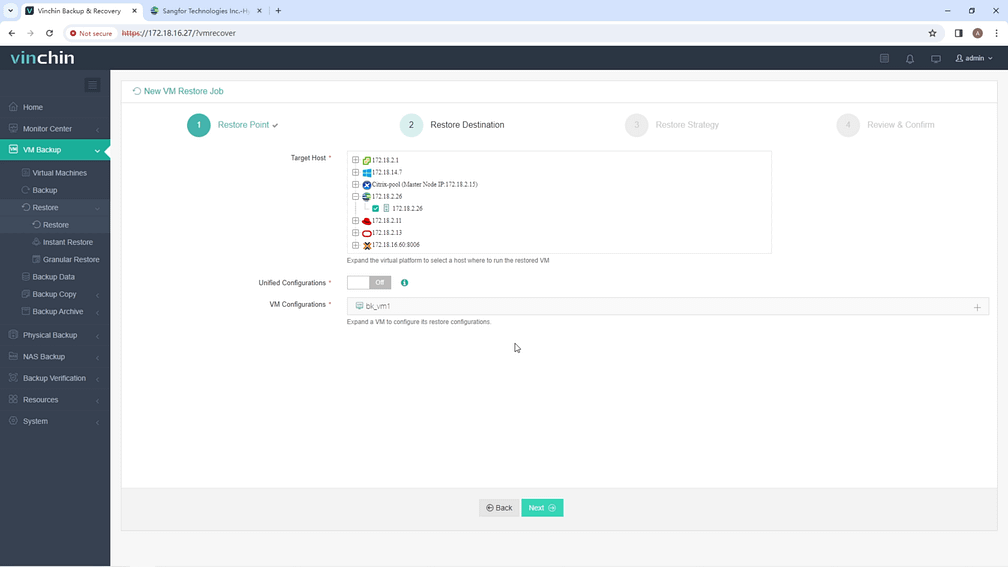
Step 4: Configure Restore Strategy
Choose between a Scheduled Restore (for automated recovery at a specified time) or a One-off Restore (for immediate recovery). Set the strategy and click Next.
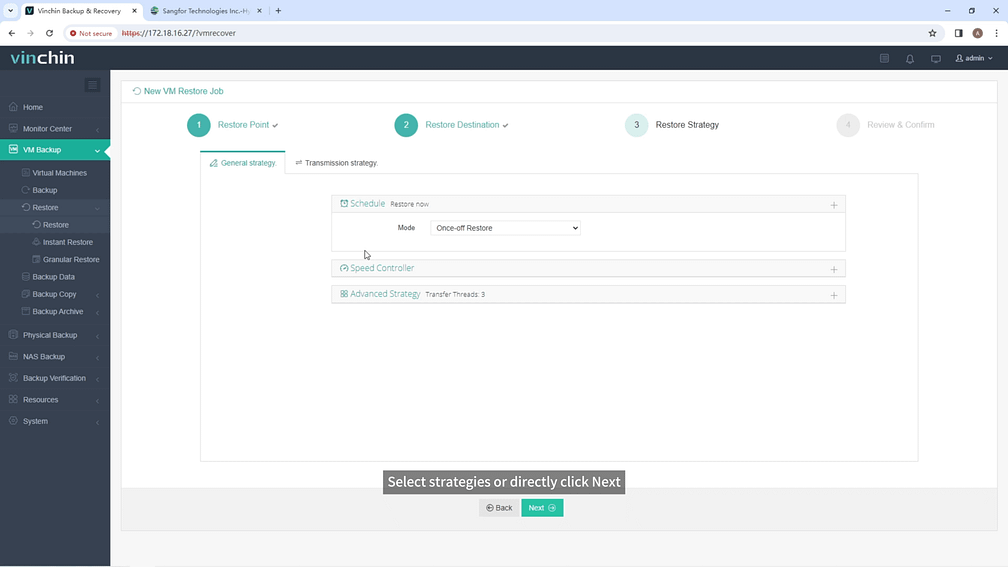
Step 5: Review and Submit
Review your settings, submit the job, and monitor its progress in real time. You’ll be able to see transfer speed, progress bar, and detailed logs.
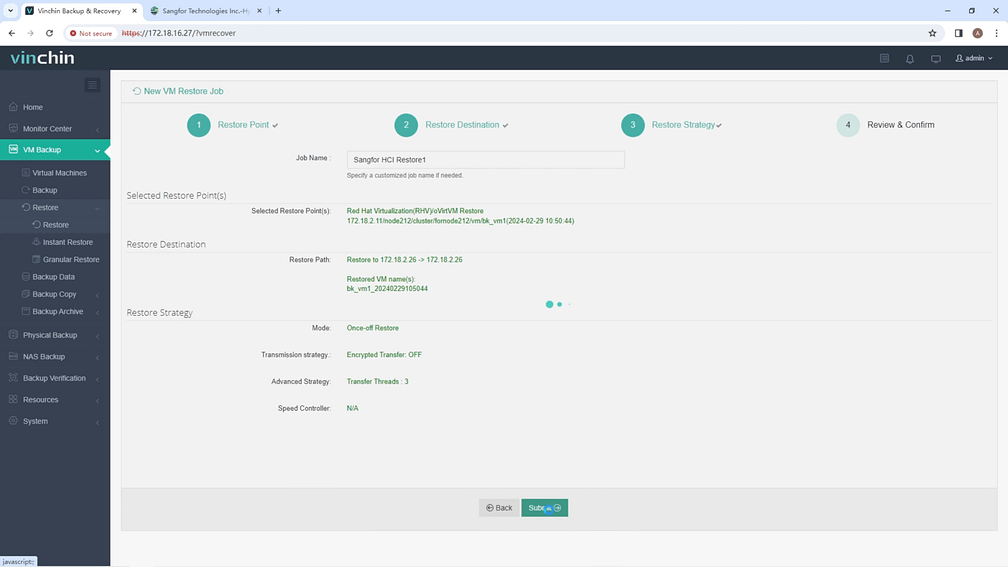
Once the job completes, the VM will be successfully restored on your Sangfor HCI environment. We recommend verifying the new VM directly in Sangfor to ensure everything works as expected.
Try Vinchin for Free
👉👉👉👉Vinchin is now offering a 60-day free trial of its complete data protection solution. Experience seamless VM migration, intelligent backup, and efficient recovery in your own environment.